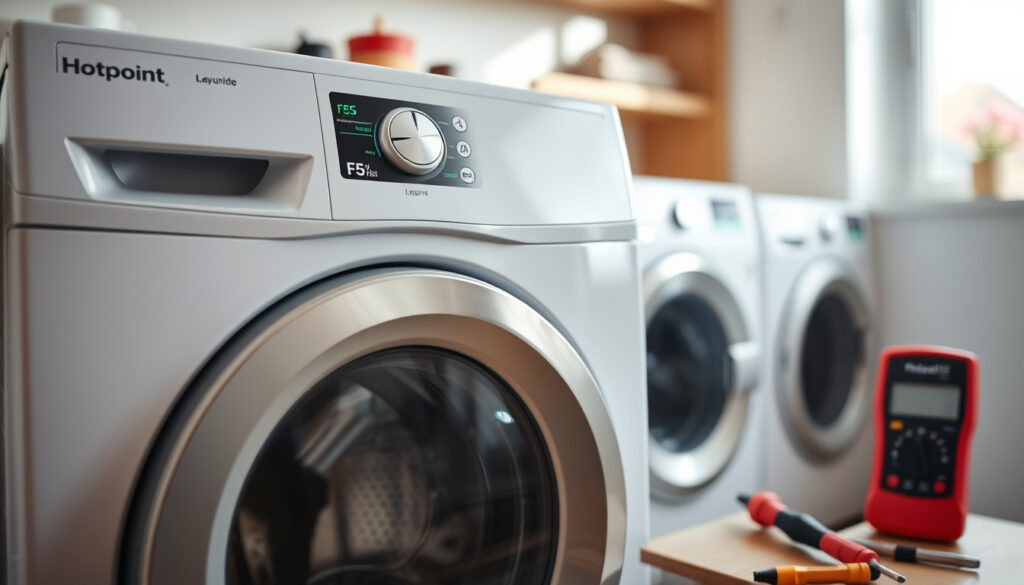
Hotpoint Washing Machine F05 Error Explained & Fixed
Your Hotpoint washing machine just flashed an F05 code, and now it’s sitting there with a drum full of water and clothes that won’t spin. It’s a frustrating moment — but it’s also one of the most common errors on Hotpoint and Indesit machines, and here’s the good news: in nearly every case, it’s a drainage blockage you can clear yourself in under half an hour.
Error Meaning: Unable to drain water ·
Common Cause: Blocked filter or hose ·
DIY Fixable: Yes, 99% of cases ·
Top Sources: Hotpoint official support videos ·
Related Errors: F01, F06, F08
Quick snapshot
- F05 = unable to drain wastewater in time (Appliance World Online)
- Most common cause is a blocked pump filter (Hotpoint Official)
- Error ranks as the most common Hotpoint/Indesit fault (Hotpoint Official)
- Exact pump replacement cost varies by model and region
- Specific panel clip count differs between Aquarius models
- Regional voltage differences in pump motors remain unconfirmed
- F05 error widely documented in Hotpoint/Indesit guides since pre-2020
- Official Hotpoint F05 support video released approximately 2022
- DIY fix guides proliferated across YouTube 2020–2023
- Follow filter clean procedure, then run test cycle
- If error persists, check impeller and sump hose
- Persistent F05 after all checks → call a professional
| Label | Value |
|---|---|
| Error Code | F05 |
| Meaning | Drainage failure |
| Frequency | Most common on Hotpoint/Indesit models |
| Fix Time | 15–30 minutes DIY |
| Primary Cause | Blocked pump filter |
| Affected Brands | Hotpoint Aquarius, Indesit, Whirlpool |
| Reset Method | Clear blockage + test cycle |
What does F05 mean on a Hotpoint washing machine?
The F05 error on a Hotpoint washing machine signals that the appliance cannot pump out wastewater within the allocated time. The machine stops mid-cycle, leaving standing water in the drum and wet clothes that won’t spin. According to Appliance World Online, the error occurs when the drain pump fails to evacuate water during the wash or rinse phase, triggering the machine’s safety shutdown. Hotpoint’s own support documentation labels F05 as a drainage issue, and repair technicians consistently confirm this diagnosis across multiple model lines.
Draining issue details
When F05 triggers, you’ll typically see water pooled in the drum and the door lock engaged — the machine won’t release your clothes until the error clears. The error display varies by model: on some Hotpoint Aquarius machines, the fourth light on the panel side indicates F05; on others, the second and fourth indicator lights together signal the fault. The How-to-Repair.com guide notes that some Indesit models display F11 instead of F05 for identical drain failures, while F11 alone indicates a specific pump motor circuit fault — a useful distinction when troubleshooting.
Related error codes
F05 shares symptoms with several other Hotpoint error codes. F01 indicates a motor triac failure, while F06 relates to a hall sensor fault — neither involves drainage. F08 signals a heating element issue. The YouTube Shorts guide lists six common causes for F05 specifically: the pump filter, the pump impeller, the sump hose, the waste hose, the pump motor itself, and sink fitting blockages at the drain connection. Repairers across multiple YouTube channels cite these same six culprits with remarkable consistency, suggesting they’re the exhaustive list for most household scenarios.
F05 is your washing machine telling you it cannot pump out waste water, and in virtually every case the fix starts with checking the pump filter. Hotpoint’s official support video confirms this is the first and most critical step.
How do I fix F05 on my Hotpoint washing machine?
Fixing F05 follows a logical sequence: drain any standing water, access the filter, clean it thoroughly, then test the drain pump. Hotpoint’s official support channel and multiple independent repair videos agree on this same order. The process takes 15–30 minutes for most homeowners, and no special tools are required beyond a shallow bowl, towels, and optionally a pair of pliers for a tight filter cap.
Step 1: Safety first — unplug and drain standing water
- Unplug the washing machine from the power socket.
- Turn off the water supply tap — usually a blue tap positioned horizontally near the machine.
- Place a shallow bowl or container beneath the filter housing to catch residual water.
- If water is sitting high in the drum, bail or scoop out as much as possible to prevent spills when you open the filter housing.
This step is non-negotiable, according to the DIY repair guides. Opening the filter housing without draining first creates a flood risk on your kitchen floor.
Step 2: Access and remove the pump filter
- Locate the filter housing at the bottom front of the machine — behind a small access panel secured by clips.
- Press the clips inward and pull the panel away to reveal the filter cap.
- Rotate the filter cap counterclockwise to unscrew it. If it feels tight, use pliers gently on the cap’s edge — but avoid excessive force to prevent snapping the plastic.
- Pull the filter cartridge straight out and inspect it for trapped lint, coins, buttons, or fabric scraps.
Step 3: Clean the filter and check the impeller
- Rinse the filter under warm running water, scrubbing away accumulated residue with an old toothbrush.
- Before reinstalling, reach into the pump housing and manually spin the impeller — the small paddle wheel behind the filter opening.
- If the impeller resists or makes a grinding noise, something is jammed: fabric bands, coins, or bra underwires are the most common culprits.
- Remove any debris from the impeller blades and around the pump inlet.
The repair demonstration videos show that a jammed impeller is the second most common F05 trigger, often missed when users clean only the filter cartridge without checking what sits behind it.
Step 4: Inspect drain hoses
- Check the waste hose running from the machine to the drain — look for kinks, sharp bends, or trapped debris.
- Follow the hose to its connection point at the sink U-bend or standpipe; ensure this connection is secure and not clogged.
- If your machine uses a sink spigot connection, clean the U-bend trap — a buildup of soap scum and debris here directly causes F05.
Step 5: Test the drain pump
- Reinstall the filter, secure the access panel, and restore the water supply.
- Plug the machine back in and run a short rinse cycle with no laundry load.
- Listen for the drain pump: a distinct humming or gurgling sound indicates it’s working.
- If the machine drains successfully and the F05 code does not reappear, the issue is resolved.
According to How-to-Repair.com, no dedicated reset button exists — clearing the blockage and running a test cycle resets the error automatically. If F05 persists after all five steps, the drain pump motor itself may be faulty and requires professional assessment.
After reinstalling the filter, you may see an H2O error code if the mains water hasn’t been turned back on — this is a separate issue from F05 and resolves simply by restoring the water supply.
Can a blocked filter cause a Hotpoint F05 error?
Yes — overwhelmingly. The blocked pump filter is the leading cause of F05 across every Hotpoint, Indesit, and Whirlpool model that shares this error code. Hotpoint’s official support video explicitly names “blocked filter pump” as the trigger, and repair communities echo this finding. The pump filter catches foreign objects, lint, and washing residue before they reach the drain pump impeller — but when the filter itself becomes clogged, water cannot pass through, and the pump fails to complete its cycle within the time limit.
Signs of a blocked filter
- F05 appears mid-wash or at the start of a drain cycle
- Water remains visible in the drum after the cycle ends
- The drain pump runs intermittently or makes a straining noise
- The filter housing emits an odour when opened
The YouTube repair channel notes that some users discover large objects — safety pins, coins, a lost sock — wedged directly in the filter housing. In other cases, the filter is clogged simply by months of accumulated lint with no single culprit. Either way, the result is identical: F05.
How to unclog the filter
The filter unclogging process is the same five-step sequence detailed in the previous section. Repairers recommend cleaning the filter annually as routine maintenance, or every few weeks if the machine is used heavily or processes lots of lint-generating fabrics like towels and fleece. The Lurgs DIY channel, which focuses on the Hotpoint Aquarius model, demonstrates the annual maintenance schedule as a preventive measure — clearing the filter before it becomes fully blocked avoids emergency callouts and extends pump life.
Manual drain method
- If you need to drain water quickly before accessing the filter, disconnect the waste hose from the drain and lower it into a low container or directly onto the floor with towels.
- Alternatively, tip the machine gently backward to angle water toward the filter opening, allowing gravity to empty the drum before you unscrew the cap.
This manual drain technique is demonstrated across multiple YouTube repair guides and is considered standard practice before filter maintenance on front-loader Hotpoint machines.
The filter sits between your laundry and the drain pump — when it blocks, the pump works harder, overheats, and eventually triggers F05. Cleaning it regularly prevents the error from returning and prolongs pump motor life.
How to reset F05 on a Hotpoint washing machine?
There is no dedicated reset button on Hotpoint washing machines for the F05 error. The machine resets itself once the underlying drainage problem is resolved. This is confirmed by How-to-Repair.com, which states clearly that no separate reset procedure exists — the error clears when the machine completes a successful drain cycle.
Reset procedure
- Power cycle the machine: unplug it for 60 seconds, then plug it back in.
- Run a test rinse cycle with no laundry load to confirm the drain pump operates correctly.
- If the F05 code disappears and the cycle completes without error, the reset is successful.
- If F05 reappears immediately, the blockage has not been fully cleared — return to the five-step filter clean procedure.
When reset fails
If F05 persists after thorough filter cleaning and hose inspection, the drain pump motor may be defective. A JustAnswer appliance technician confirms that when the filter is clear but the error remains, the next diagnostic step is testing the pump motor with a multimeter for electrical continuity, or bench-testing the pump by powering it directly. These are tasks beyond standard DIY scope and indicate a need for professional repair or pump replacement. Appliance World Online recommends calling a technician if the pump tests fail after the filter and hose checks are complete.
The implication: when clearing the filter, impeller, and hoses doesn’t stop F05 from returning, the pump motor itself is the culprit and a professional callout becomes unavoidable.
How much does it cost to fix a Hotpoint F05?
The cost of fixing a Hotpoint F05 error ranges from free — if you clean the filter yourself — to several hundred pounds if a professional replaces the drain pump motor. The wide range reflects two distinct scenarios: DIY filter cleaning versus a callout for pump motor replacement.
DIY vs professional costs
| Fix type | Estimated cost | Time required |
|---|---|---|
| Filter clean (DIY) | £0 | 15–30 minutes |
| Impeller jam clear (DIY) | £0 | 10–15 minutes |
| Hose replacement (DIY parts) | £10–£25 | 30–60 minutes |
| Professional callout + pump replacement | £150–£300+ | 1–2 hours |
| Professional callout (inspection only) | £60–£100 | 30 minutes |
These cost estimates reflect typical UK market rates for appliance repair callouts and parts. The Hotpoint official support video frames the F05 fix firmly in the DIY category, positioning it as the easiest error code a homeowner can resolve without professional help.
Parts needed
- Replacement drain hose: £10–£20 if the existing hose is kinked beyond repair
- Replacement pump filter cap: rarely needed but available from appliance parts suppliers for under £10
- Drain pump motor assembly: £40–£80 for the part, plus £80–£150 labour if fitted professionally
A full drain pump replacement is the last resort after all other F05 causes — filter, impeller, hoses — have been ruled out. Given that 99% of F05 cases resolve with filter cleaning alone, most homeowners will pay nothing. The pattern is straightforward: start with the filter and work down the troubleshooting list. For most households, the answer is simple — clean the filter, save the callout fee.
What the experts say
“F05 is your washing machine telling you that it can’t pump out waste water and it’s often accompanied by water in your washer and wet clothes.”
— Hotpoint Official Support (manufacturer guidance)
“The bad news first — this is the most common error code you might encounter with your Hotpoint or Indesit washer. The good news though — it’s one of the easiest error codes that you can fix.”
— Hotpoint Official Support (manufacturer guidance)
“F05 this means that the filter pump is blocked — I’ll show you how I fixed it.”
— Lurgs DIY (independent repairer)
Related reading: Ninja Ice Cream Maker Review · Is My Car MOT Valid?
Addressing F05 drainage issues starts with filter cleaning, but for lasting results also check the rubber seal using this complete cleaning guide.
Frequently asked questions
Is the Hotpoint F05 error serious?
F05 is a drain failure warning, not an electrical danger. It won’t damage your machine permanently if addressed promptly. However, leaving water sitting in the drum for extended periods can promote mould and cause secondary odours. Treating F05 as a priority fix — ideally the same day — is the practical approach.
How do you force a washing machine to drain?
Unplug the machine, turn off the water supply, and use a shallow bowl to bail water from the drum. Then access the filter housing at the bottom front and unscrew the filter cap counterclockwise to release remaining water into your container. Alternatively, disconnect the waste hose and lower it into a floor-level container or directly onto towels to allow gravity drainage.
What is F05 a code for?
F05 is a diagnostic error code indicating the washing machine cannot pump out wastewater within the standard time limit. On Hotpoint and Indesit machines, it specifically signals a drainage blockage or pump failure.
Does F05 affect Indesit machines?
Yes. The F05 code is shared across Hotpoint, Indesit, and Whirlpool washing machines that use the same diagnostic system. The meaning and fix procedure are identical across all three brands — the same filter cleaning steps apply.
How to drain a washing machine manually?
Turn off and unplug the machine. Place towels on the floor, then either bail water from the drum with a shallow bowl, or unscrew the pump filter cap at the bottom front of the machine to release water into a container below. The waste hose can also be disconnected and lowered to allow gravity to empty the drum.
What if F05 returns after reset?
If F05 reappears after clearing the filter, the blockage is likely in the sump hose, the impeller, or the waste hose connection — not the filter cartridge itself. Re-run the full inspection sequence, paying particular attention to the impeller behind the filter opening and the hose running to the drain. If all checks pass, the drain pump motor requires professional replacement.
Is F05 related to F06?
No. F05 indicates a drainage failure, while F06 relates to a hall sensor fault — a motor position sensing issue unrelated to water evacuation. The two errors have different causes and different fixes.
More related posts
 Claire Richards in 2026: Steps, Husband, Weight Loss, Music
 How to Measure Bra Size – Accurate UK Inch and CM Guide
 Riccardo Calafiori: Age, Club, Career, and Personal Life
 Warehouse Operative Jobs Near Me – Pay, Requirements and Application Guide
 Doris Roberts: Biography, Cause of Death, and Co-Star Bonds
 Chris Noth: Allegations, Co-Star Reactions, Current Status
 Patrice Evra: Career, Handshake Feud & Latest News
 Zach Bryan: Biography, Marriages, Sobriety, and Political Views
